

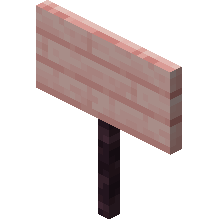
Cherry sign
How to Craft / Obtain

Uses for this Item (Recipes Including This)
This item is not used as an ingredient in any known crafting recipes.
About
A sign is a non-solid block capable of displaying customizable text on the top or side of various blocks. Players can break signs with any tool or bare hands, though an axe provides the fastest removal method, and breaking the attachment block automatically drops the sign as an item. Natural sign generation occurs in specific structures like igloo basements for oak signs and taiga village houses where spruce signs form parts of chairs without text. Beyond aesthetic decoration, signs serve practical purposes such as labeling storage, displaying informational messages, or noting areas of interest. Furthermore, because signs remain completely unaffected by water and lava, they are frequently utilized by players to control or redirect the flow of these fluids within builds.
Placement options allow signs to be positioned on the top or side of standard, semi-solid, and non-solid blocks including fences, trapdoors, and other signs. Placing a sign on the top of a block places it on a short post facing toward the player in one of sixteen possible directions, whereas side-placed signs float adjacent to the block regardless of direct contact. To place signs on interactive blocks like chests or note blocks, players must sneak during placement. Once placed, interacting with a sign opens an editing interface supporting up to four lines of text, with Bedrock Edition allowing formatting codes using section signs for bold, italic, and colored effects. Text can also be added to the back side of a sign by interacting directly with its reverse face after initial setup.
Text customization includes applying dyes to establish a hard-coded base color across all four lines while text component formats can override this base. Players can enhance visibility by using glow ink sacs to make text glow with an outline unaffected by surrounding lighting, and regular black ink sacs can be used subsequently to remove this glowing effect. Waxing a sign with a honeycomb permanently locks the text to prevent further editing unless the sign is broken or modified via commands such as data merge. In Java Edition, advanced creation utilizes text components enabling complex formatting, hover and click events, localized translations, and scoreboard value incorporation. Additionally, inappropriate words can be automatically filtered into hashtags in Bedrock Edition and Java Realms when the profanity filter setting is enabled.
Physical interactions with signs demonstrate that they are completely non-solid blocks lacking collision, allowing items and mobs to move freely through them while other blocks can be attached to any of their edges. Water and lava flow smoothly around signs without destroying them, and while adjacent lava can ignite nearby air blocks as if signs were flammable, the signs themselves do not burn in standard gameplay. Overworld wood variants can be utilized as a furnace fuel source to smelt a single item per sign, whereas Nether wood sign variants such as crimson and warped cannot be burned or used as fuel. Copying an already-placed sign with its exact text and decorations into inventory is possible in Creative mode by using the control or command pick block combination.
Data values associated with signs involve block entities that store supplementary information regarding text content, formatting, and wax status. Both Java Edition and Bedrock Edition manage standing and wall sign variants through specific block states and data structures. Sign blocks maintain these underlying data entities to preserve customized messages, glowing attributes, and formatting across server reloads and world saves. When pushed by a piston in Bedrock Edition, signs are instantly destroyed and drop themselves as items. These comprehensive mechanical properties make signs versatile utility blocks combining administrative labeling, fluid management, and advanced text display capabilities.