

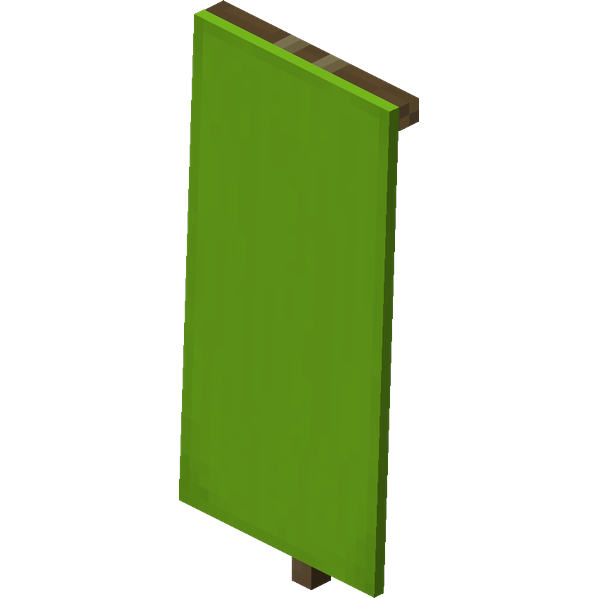
Lime banner
How to Craft / Obtain


Uses for this Item (Recipes Including This)
This item is not used as an ingredient in any known crafting recipes.
About
Banners in Minecraft are versatile functional blocks that can be crafted in sixteen different color variants, customized extensively within a loom using various dyes and unique banner patterns, and applied directly to shields. In Java Edition, these customizable blocks also serve the practical purpose of adding distinct markers to maps, allowing players to easily navigate and identify important locations. When obtaining a banner, players can break them using any tool although an axe provides the fastest mining speed, and banners will also automatically break and drop themselves as items if the supporting block they are attached to is moved, removed, or destroyed. Crafting a standard banner requires six blocks of wool and a single stick arranged in a pattern resembling a sign, while illagers spawning with an ominous banner will always drop it upon death regardless of whether looting enchantments are applied.
The physical placement and environmental behavior of banners offer a high degree of flexibility for building and decoration. Banners can be placed either on the ground facing in one of sixteen distinct directions or mounted onto walls, and they feature a gentle swaying motion that simulates the effect of a breeze regardless of the dimension or location they occupy. Although banners appear visually as two blocks tall, their actual hitbox is only one block high, allowing other blocks to be placed on any edge and making it possible to overlap solid blocks on the top half of a floor banner or the bottom half of a wall banner. Banners are completely non-solid and possess no collision mask so entities can move freely through them, water and lava flow smoothly around them, and in Bedrock Edition banners can even be waterlogged. While lava can create fire in adjacent air blocks as if banners were flammable, the banners themselves do not burn and cannot be destroyed by fire or other burning methods, though they also cannot be moved by pistons.
Customizing banners involves applying up to six layers of patterns overlaid in sequence with the last-added pattern resting on the topmost layer, and these patterns can be colored using any of the sixteen available dye colors. A loom is required to add patterns, where all patterns demand a dye and some specific designs also require a non-consumed banner pattern item. In Java Edition, players can obtain banners with more than six layers of patterns through commands or external editors, allowing up to sixteen visual layers to be displayed on the banner while item tooltips will list only the first six bottom-most layers. Banners can also be copied by placing them alongside a blank banner in a crafting table to produce identical duplicates, renamed on an anvil to retain custom names through placement and cloning, and even utilized as furnace fuel with a smelting yield of 1.5 items per banner.
Beyond basic decoration and customization, banners interact uniquely with several other gameplay mechanics and items. Shields can have patterns applied to them using banners, though the resulting shield pattern features a lower resolution that causes the design to appear different or offset compared to the original banner. In Java Edition, interacting with a banner using the use control while holding a map places a marker of the banner position onto the selected map in the base color without decorations, and pressing use again removes the marker unless the map is locked using a cartography table. While banners cannot normally be equipped in the head or chestplate slots during standard Survival mode, using commands or NBT editors to equip them onto players causes the banner to appear on top of the character model exactly like the banners worn by raid captains.
The visual rendering and combinatorial variety of banners highlight their depth as a game mechanic. The banner flag rotates around an axis passing through its top-back edge where it connects to the wooden support part, with its exact rotational angle calculated in degrees using the block coordinates and the world tick time since creation with frame-precision. Mathematically, the combinatorial possibilities for banners are staggering; with sixteen blank colors and forty-two patterns available in sixteen colors each, the total number of uniquely crafted banners utilizing up to six patterns reaches approximately 1.48 quintillion, while extending this up to sixteen layers via commands yields roughly 2.77 quattuordecillion unique combinations. Internally, banner textures utilize forty monochrome files representing all six sides where the back side is a mirrored version of the front, and game colors are inverted during rendering to act as masks over the re-colored base texture where white remains visible and black renders transparent.