

Orange banner
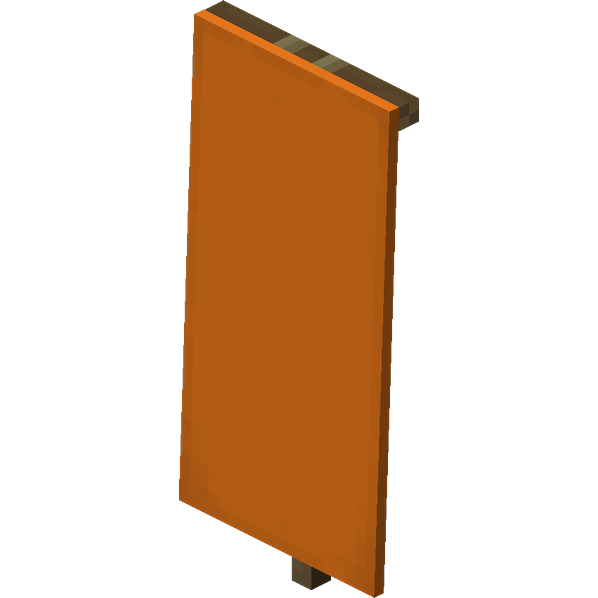
How to Craft / Obtain


Uses for this Item (Recipes Including This)
This item is not used as an ingredient in any known crafting recipes.
About
Banners in Minecraft are versatile blocks crafted from six pieces of wool and a stick arranged in a pattern resembling a sign, and they can be customized across sixteen different colors. Players can break banners with any tool, though an axe is the fastest method, and breaking the supporting block causes the banner to drop itself as an item. They can be placed either on the ground facing in sixteen directions or mounted on a vertical wall, gently swaying as if affected by a breeze regardless of the dimension or location. Banners possess no collision mask and are completely non-solid, allowing entities to move freely through them while water and lava flow around them naturally. Additionally, banners cannot be moved by pistons, and although lava can create fire in adjacent air blocks, the banners themselves do not burn.
Customization is a core feature of banners, allowing up to six layers of patterns to be overlaid in a loom using dyes and banner pattern items, where the last-added pattern appears on the top layer. In Java Edition, banners can hold more than six layers if obtained through commands or external editors, displaying up to sixteen layers visually, whereas Bedrock Edition is strictly capped at six layers. The top layer or most recent pattern can be washed off by using the banner on a water-filled cauldron. Banners can also be cloned using a blank banner in a crafting table to create identical copies, provided they do not exceed the standard six-layer limit. Furthermore, banners can be renamed on an anvil, retaining their custom name when placed, retrieved, modified, or cloned.
Beyond aesthetic placement, banners interact with several other gameplay mechanics and items across different dimensions and editions. Shields can have banner patterns applied to them in a crafting grid, though the shield pattern features a smaller resolution causing a slight visual offset. In Java Edition, players holding a map can press the use control on a placed banner to toggle a matching map marker of its position, which retains the base color of the banner and displays its custom name underneath if renamed. While banners cannot normally be equipped in head or chestplate slots in Survival mode, using commands or NBT editors to equip them places them on top of the player character, replicating the iconic look worn by raid captains. Finally, banners can serve as a furnace fuel source, smelting approximately 1.5 items per banner.
The mathematics behind banner pattern combinations allow for an immense degree of creative expression and variety within the game. With sixteen blank blank options, forty-two patterns available in sixteen colors each yielding 672 uniquely colored patterns, and between zero and six layers permitted per banner, the total number of uniquely crafted banner combinations reaches approximately 1.48 quintillion. When extended up to sixteen layers via commands, the theoretical number of unique banners skyrockets to roughly 2.77 times ten to the forty-sixth power. Visually, banner textures are located within the entity asset directories, featuring forty monochrome textures where the back side is a mirrored version of the front. In-game, these textures act as masks where white pixels are visible and black pixels are transparent, adapting dynamically to the chosen base color.
Technical handling of banners involves specific block entities, data values, and environmental behaviors across Java and Bedrock editions. Each placed banner maintains an associated block entity that stores comprehensive data regarding its base color, custom name, and applied pattern layers. In Bedrock Edition, banners can also be waterlogged, adding an extra layer of environmental interaction compared to Java Edition. When placed against the side of a solid block, a banner's position is determined strictly by the top block, allowing interesting overlapping placements such as positioning solid blocks over the top half of a floor banner. Illagers that spawn carrying ominous banners will invariably drop them upon death regardless of player looting levels, tying these customizable decorative items directly into world exploration and raid mechanics.