

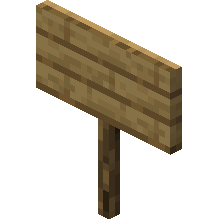
Oak sign
How to Craft / Obtain

Uses for this Item (Recipes Including This)
This item is not used as an ingredient in any known crafting recipes.
About
An oak sign is a versatile non-solid block within Minecraft that serves multiple practical and decorative functions, primarily utilized for displaying custom text, labeling storage areas, or providing essential information to other players across the game world. Players can obtain signs by breaking them using any tool or empty hands, though utilizing an axe yields the fastest destruction speed, and a sign will naturally drop as an item if its supporting block is moved, removed, or destroyed. In terms of natural generation, oak signs can be discovered within igloo basements, while variant spruce signs appear in taiga village houses integrated into chairs. Furthermore, overworld signs double as efficient furnace fuel, successfully smelting a single item per sign.
Placement mechanics allow signs to be positioned on either the top or side of various blocks, including semi-solid and non-solid surfaces like fences, trapdoors, and even other signs. When placed on top of a block, a sign stands on a short post facing toward the player in one of sixteen distinct directions, whereas side-placed signs float adjacent to the block without requiring direct physical contact. To place a sign against an interactive block such as a chest or note block, players must sneak while placing it. Once placed, water and lava flow smoothly around signs without destroying them, allowing players to utilize signs for fluid control, though lava can ignite adjacent air blocks despite the signs themselves remaining entirely fireproof.
The text customization features of signs provide deep editorial control, opening an interactive interface upon placement where players can input up to four lines of text using a physical or on-screen keyboard. Players can modify both the front and back faces of a sign, apply color using various dyes which map to hard-coded base colors, and integrate glow ink sacs to make text glow with a visible outline unaffected by ambient lighting. Additionally, applying a honeycomb waxes the sign to permanently lock the text against further unauthorized editing, whereas Java Edition players can leverage advanced text components, command manipulation, and scoreboard integrations for complex formatting, translation, and event triggers.
Editing and interacting with signs remain straightforward throughout gameplay, allowing players to reopen the edit message graphical user interface simply by using an already placed sign. In Creative mode, players can effortlessly duplicate a fully customized sign along with its exact text and decorations by holding control and using the pick block command. Lighting engines subtly influence appearance, causing signs facing east or west to display brighter and more saturated text compared to northern or southern orientations due to side lighting effects. Additionally, Bedrock Edition automatically filters inappropriate words into hashtags when profanity filtering is enabled, and supports formatting codes with section signs for bold, italic, or colored text effects.
As non-solid entities possessing no collision properties, signs allow mobs and items to pass directly through them while enabling other blocks to be attached to any of their edges. Their complete immunity to water currents and lava destruction combined with fluid redirection makes them indispensable in engineering water streams, elevator shafts, and automated farms. Whether serving as simple navigational markers in deep cave systems, descriptive labels for extensive item storage rooms, or interactive informational displays powered by advanced server commands, oak signs remain an enduring and functionally rich staple of Minecraft block mechanics.